

Schedule delivery
Open Settings → Daily report in your workspace. Choose a Timezone, turn on Scheduled push, and set a Push time. Leave Scheduled push off if you only want reports on demand. The workspace’s timezone determines the local calendar day used in report history.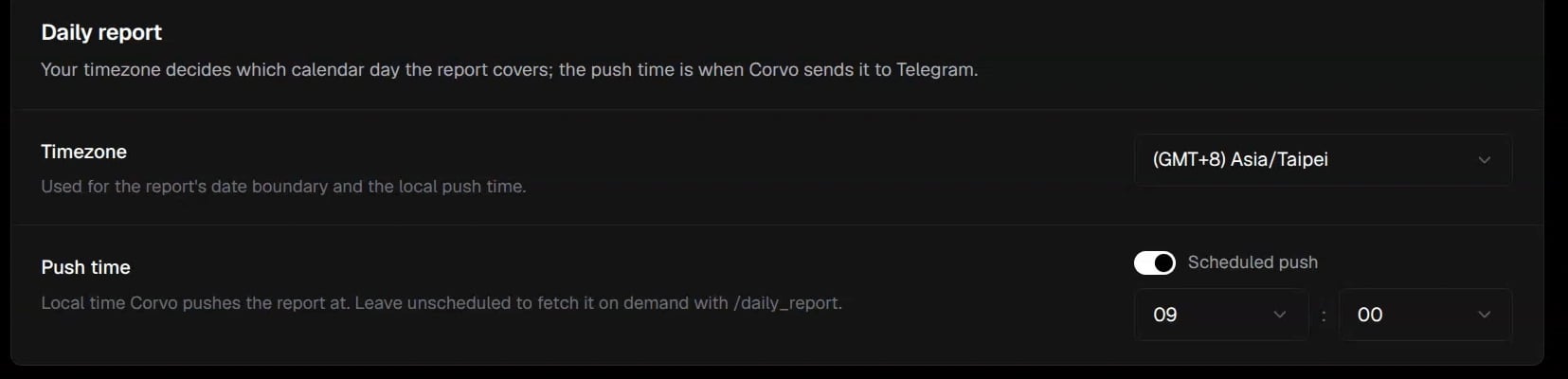
Set the timezone and local push time in Settings.
Request and read a report
When the Agent bot is bound to a DM, send/daily_report in that DM to generate a report on demand. This command is not supported in groups. If generation is already running or a cooldown applies, follow the bot’s response before asking again.
Open Daily reports in Corvo. Report history lists the newest reports first, one per local calendar day. Open a report to read its time range, summary, and error groups. Follow a group’s Pull request or Error log link when available. A PR OPEN label means the proposed fix still needs review.

Report history, ordered by local date
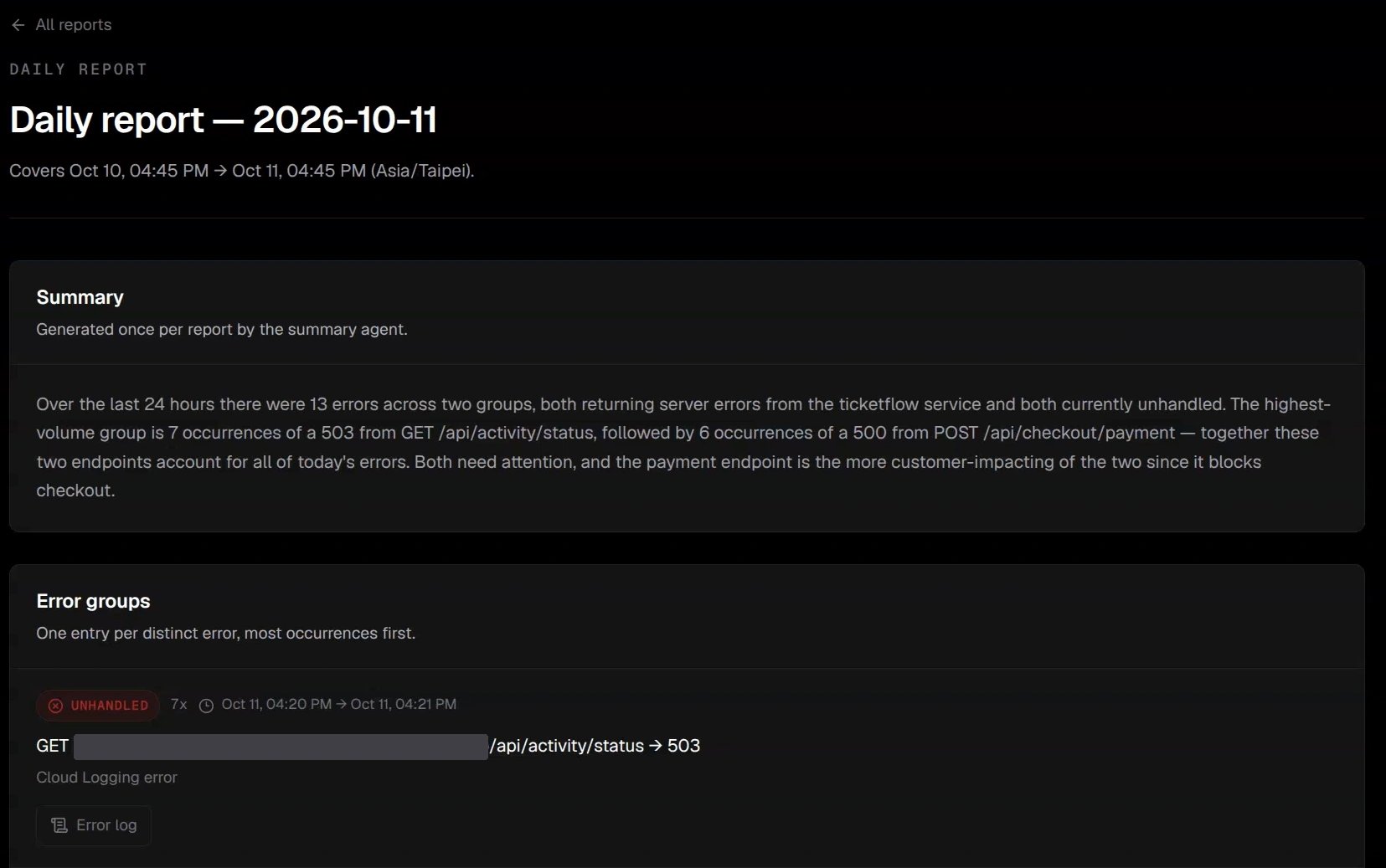
Report summary and the first error group; the service hostname is hidden.
/daily_report to test on-demand delivery.