

Before you start
You need a Google Cloud project ID and permission to enable APIs, create a service account, grant IAM roles, and create or edit a Cloud Logging sink. Open Integrations → GCP Cloud Logging → Manage.Choose read access
Enter the GCP project ID. Cloud Logging is required. Select the other services the agent should be able to read:
The IAM Service Account Credentials API (
iamcredentials.googleapis.com) is also required for impersonation. These choices do not select which log entries are streamed; that happens in step 6. Select Continue.
Step 1: Enable APIs
In Manual · Console, open each API link and select Enable in the project shown by Corvo. The list includes Cloud Logging, IAM Service Account Credentials, and the APIs for your optional read services. In Script · gcloud, run the generated command in Cloud Shell or a terminal authenticated to that project. Return to Corvo and select Continue.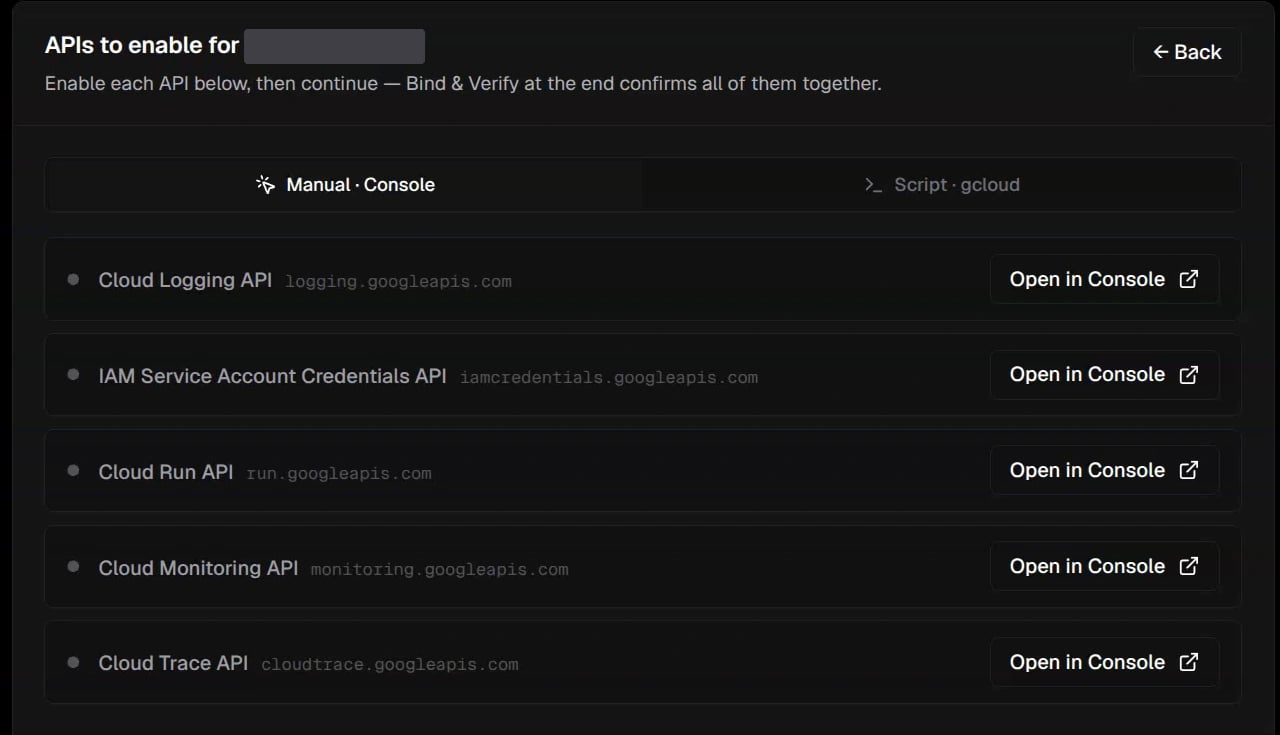
Manual · Console lists the APIs to enable. The project ID is hidden.
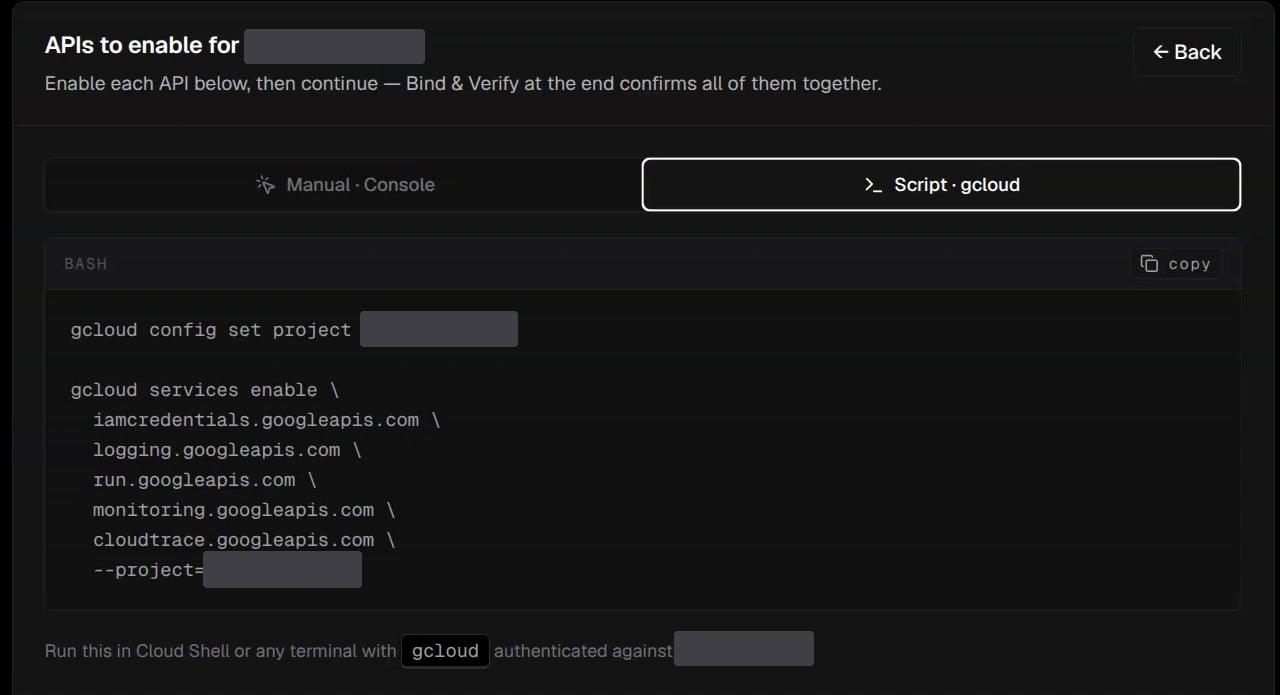
Script · gcloud generates the equivalent command for the selected project.
Step 2: Create the service account
Create a service account with the exact account IDcorvo-agent. Corvo shows the complete email:
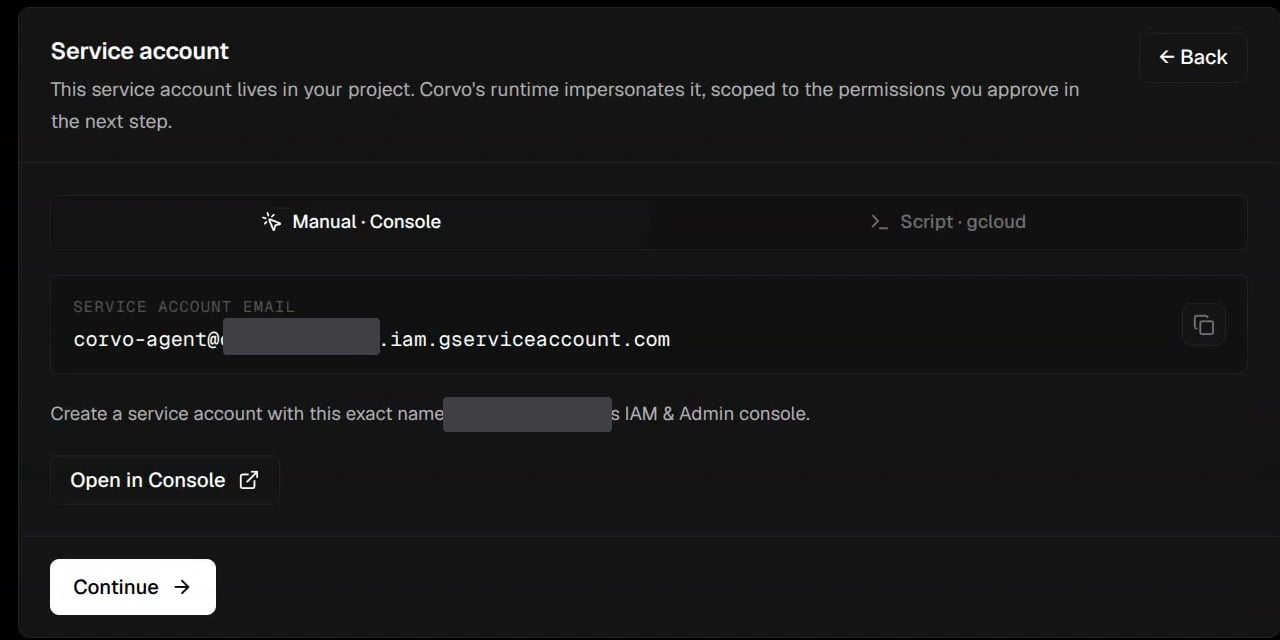
Use the exact account ID corvo-agent. Corvo fills in your project in the email address.
Step 3: Grant read roles
Open the project IAM page from Corvo. Select Grant access, enter thecorvo-agent email as the new principal, and add every role listed in the wizard. Cloud Logging Viewer is always required. Save the project IAM binding.
Step 4: Allow impersonation
Opencorvo-agent in Google Cloud Service Accounts. Open Principals with access, select Grant access, and add the Corvo runtime service account email shown in the wizard. Grant it roles/iam.serviceAccountTokenCreator and save.
The grant belongs on the corvo-agent service account. The Permissions tab controls what corvo-agent itself can access and is not the place for this grant. The runtime email is the grantee; corvo-agent is the account being impersonated.

Step 3 grants access to data. Step 4 lets Corvo use that service account.
Step 5: Verify access
Review the project, APIs, roles, and impersonation grant. Select Bind & Verify. Corvo checks impersonation, Cloud Logging access, and each optional service you selected. A failed row links back to the relevant step. Newly enabled APIs and IAM grants can take time to propagate; wait for the displayed retries before trying again. Check: Every row shows VERIFIED and the project is CONNECTED.Step 6: Select sources and connect streaming
Choose WARNING, ERROR, or CRITICAL as the minimum severity. Then select at least one source:- Cloud Run: all services or specific service names.
- GKE: all clusters, a cluster, a namespace, or individual containers.
- Compute Engine: all instances or specific instances.
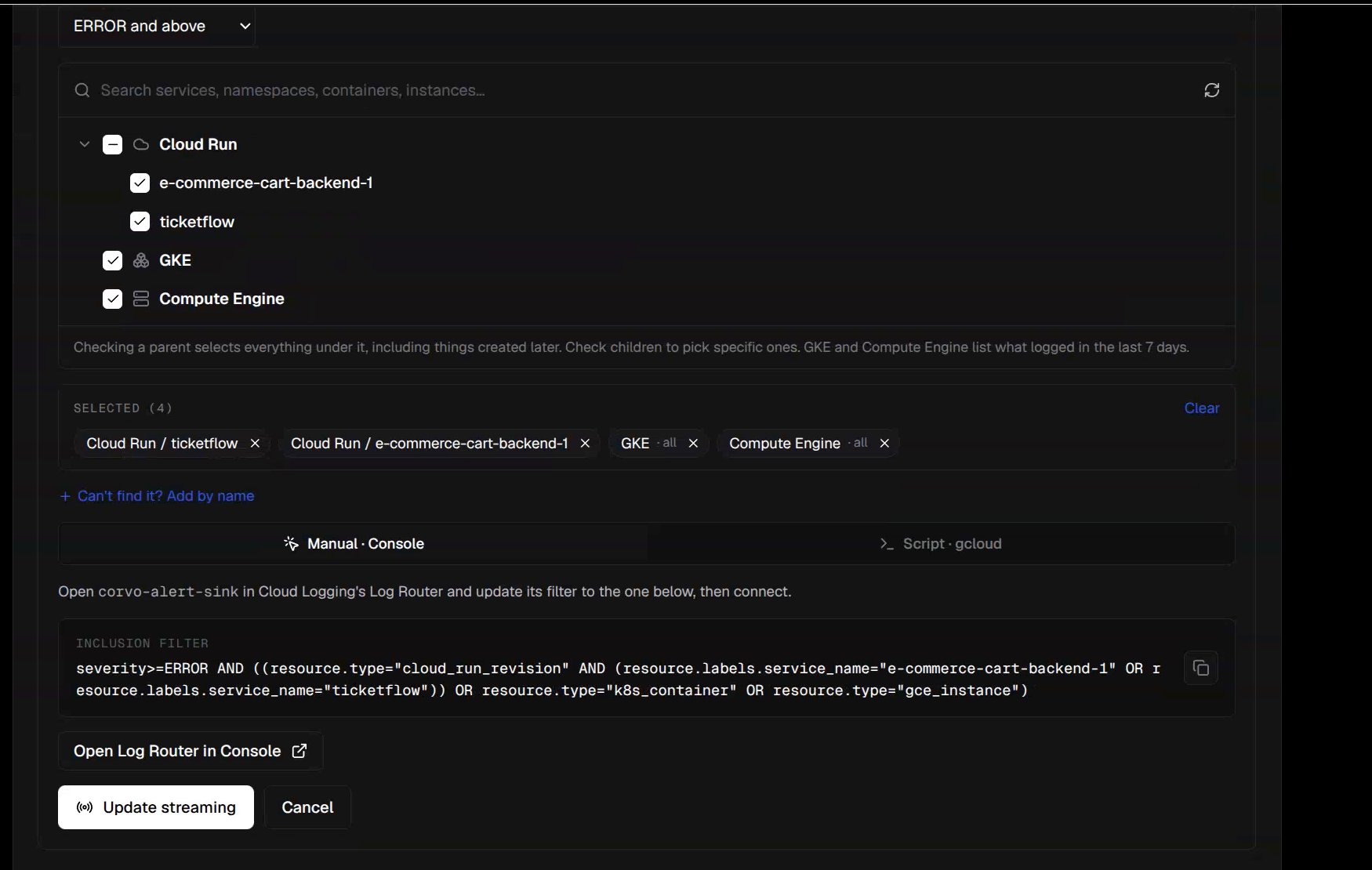
The source picker in Edit sources. Initial setup uses the same choices, with Connect as the final action.
corvo-alert-sink. Set Cloud Pub/Sub topic as its destination and paste the topic and inclusion filter generated by Corvo. In Script · gcloud mode, run the generated command in Cloud Shell or an authenticated terminal. Use Corvo’s current filter, since it reflects every selected source. For example, selecting all Cloud Run services at ERROR produces:
Change or stop streaming
Select Edit sources to change severity or selected workloads. Update the sink filter in Log Router (or run Corvo’s revised script), then select Update streaming so Corvo can verify the live filter. Stop streaming removes the sink writer’s publishing access to Corvo’s topic. The sink remains in your project, andcorvo-agent keeps its read roles. Reconfigure access reruns the read-access wizard.
Troubleshooting
- API check fails: Confirm each listed API is enabled in the project ID shown by Corvo, including IAM Service Account Credentials.
- Read role fails: Check project IAM for the exact
corvo-agentemail and the role named by the failed row. - Token Creator fails: In
corvo-agent→ Principals with access, check that the Corvo runtime email hasroles/iam.serviceAccountTokenCreator. - Sink connection fails: Check that
corvo-alert-sinkis enabled and its destination and inclusion filter exactly match the values displayed by Corvo. Then select Retry. - No investigations arrive: Check for STREAMING, inspect Active filter, and confirm the source is writing logs at or above the selected severity. CONNECTED read access alone does not stream logs.